hero: true heroOrder: 1
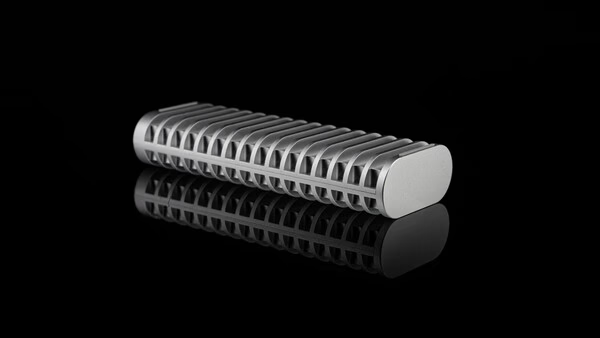
When TerraMaster launched its D1 Plus and D1 Pro enclosures to strong reviews, it set a high bar for what affordable portable storage could look like. Now the company has followed up with the entry-level D1 SSD Enclosure — and the timing makes a lot of sense. SSD prices have been climbing steadily as demand from AI, machine learning, and content creation workflows continues to surge. For photographers and videographers who need dependable, high-capacity storage without locking themselves into a fixed solution, the D1 offers a smarter way forward: buy the enclosure once, then pair it with whatever NVMe drive fits your budget today and upgrade later as prices change.
TerraMaster has long been known for delivering capable NAS and DAS hardware at prices that don't require a second mortgage. That same value-driven approach now extends to the portable enclosure market. This review approaches the D1 not just as a spec sheet exercise, but as a real-world assessment of reliability, durability, and the kind of long-term trust that determines whether a piece of gear earns a permanent spot in your kit — or ends up forgotten in a drawer.
Features and Hands-On Impressions
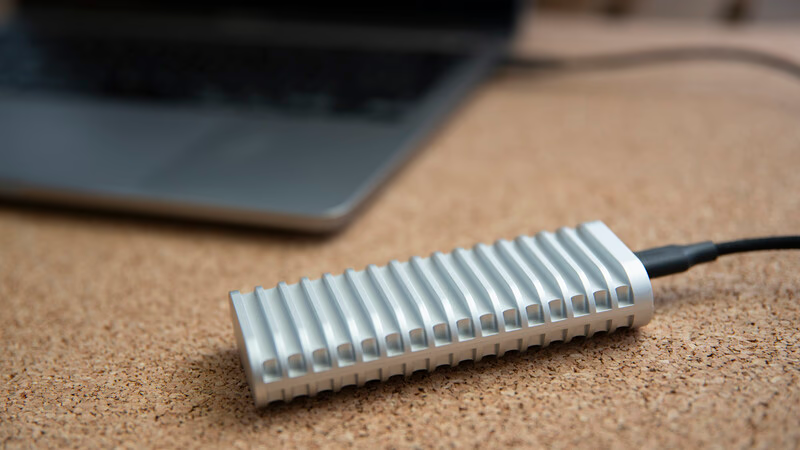
At its core, the TerraMaster D1 is built around performance. It supports PCIe 3.0, 4.0, and 5.0 M.2 NVMe SSDs with capacities up to 8 TB, giving you plenty of headroom to grow your storage over time. Connected via USB 3.2 Gen 2 with 128b/132b encoding, the D1 is capable of sustained transfer speeds up to 1,020 MB/s — fast enough for smooth 4K video editing, large RAW file transfers after a full day's shoot, or even running applications directly from the drive. UASP and TRIM support help maintain those speeds over the long haul, preventing the gradual performance drop that can affect heavily used drives.
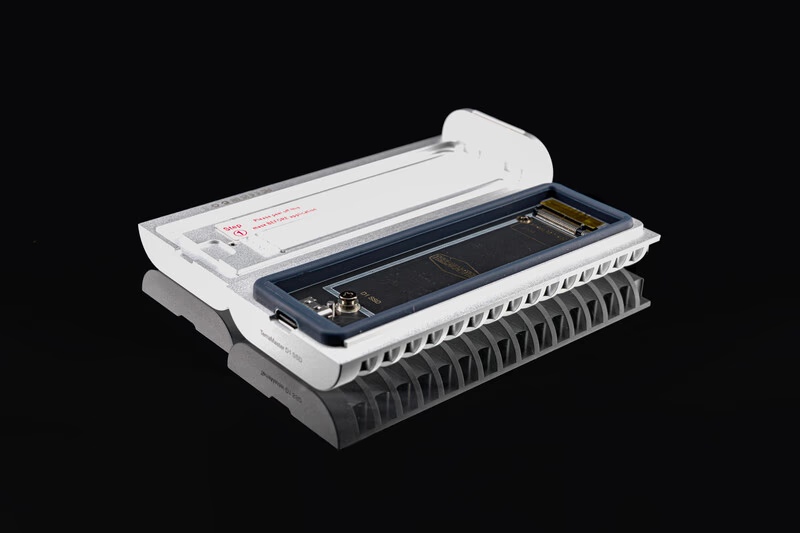
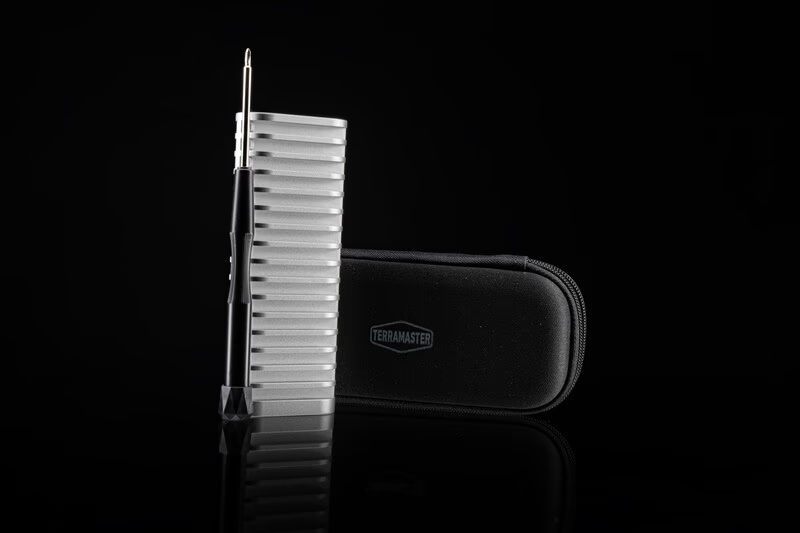
Physically, the D1 punches well above its price class. The unibody aerospace-grade aluminum shell is precision-machined, giving the enclosure a premium look and a genuinely solid feel in hand. More importantly, it carries a full IP67 waterproof rating and is engineered to withstand up to 1.2 tons of compressive force. For photographers who regularly work outdoors, on location, or while traveling — where gear takes a beating from weather, packed bags, and rough handling — these are exactly the kinds of specs that build confidence.
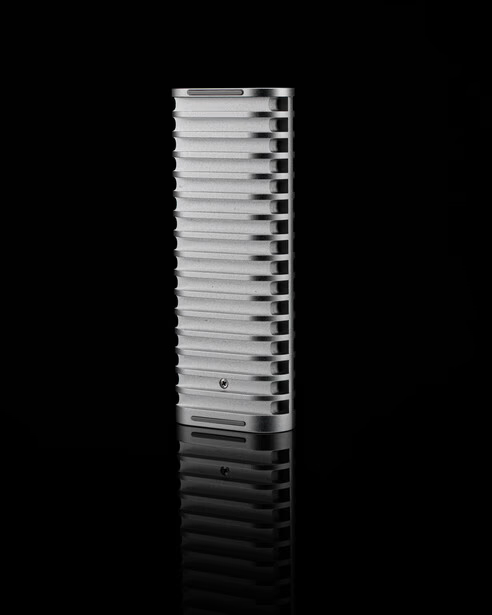
Thermal management is handled entirely passively. The all-metal heatsink design provides approximately 2.5 times the surface area of a typical enclosure, allowing heat to dissipate efficiently without any moving parts. Under sustained load, the D1 stays cool and completely silent — no fan noise, no audible throttling. For most photography and 4K video workflows, this passive approach is more than adequate and has the added benefit of zero mechanical wear over time.
Compatibility is broad and genuinely plug-and-play across Windows, macOS, Linux, Android, and iOS. TerraMaster's TDAS app adds a useful layer of functionality for mobile users, making it easy to back up photos and videos directly from a smartphone — a practical feature for freeing up device storage on the road without depending entirely on cloud services.
On the safety side, a dedicated protection chip guards against short circuits and power surges, while TerraMaster's Triple Shield system monitors electrical threats in real time. The included premium shockproof carrying case rounds out the package, adding meaningful drop and impact protection for everyday transport.
What Works Well
- Exceptional build quality and IP67 protection at a genuinely accessible price point
- Transfer speeds up to 1,020 MB/s — more than enough for 4K editing and large file workflows
- Completely silent passive cooling with no fans or moving parts
- Wide cross-platform compatibility including mobile via the TDAS app
- Premium shockproof carrying case included in the box
What Could Be Better
- SSD installation requires a screwdriver — a tool-less design would be more practical in the field
- No activity LED to indicate power state or data transfer status
- Passive-only cooling may not satisfy users running extremely intensive, continuous workloads

Is the TerraMaster D1 the Right Enclosure for You?
For photographers and videographers working with 4K footage, large RAW files, or everyday storage and backup tasks, the D1 is a strong and well-priced choice. It handles these workflows with ease and holds up well in demanding real-world conditions.
Where the D1 reaches its ceiling is with 8K and high-bitrate professional video. While PCIe 5.0 NVMe drives are technically compatible, the USB 3.2 Gen 2 interface caps throughput at 10 Gbps — meaning the full speed potential of a Gen 5 drive simply can't be realized here. For editors regularly working with 8K timelines, the D1 Plus is a significantly more capable step up. For those handling RAW video, multi-stream post-production, or daily high-demand workflows, the D1 Pro is the better long-term investment. Your workflow should drive the decision.
Practical Tips
- Choose your SSD wisely. A PCIe 4.0 NVMe drive is the sweet spot for the D1 — fast enough to max out the interface without overspending on Gen 5 speeds you can't fully use.
- Keep the screwdriver. SSD swaps require a tool, so don't lose the one included in the box.
- Enable TRIM. Make sure TRIM is active on your operating system to preserve long-term drive performance.
- Use the TDAS app on mobile. If you back up from a smartphone after shoots, the app makes field transfers quick and reliable.
- Always use the carrying case. The included case provides real-world drop and impact protection — don't leave it behind.
Conclusion
At $39.99, the TerraMaster D1 SSD Enclosure delivers a compelling combination of rugged protection, strong performance, and thoughtful design in a compact, travel-ready package. IP67 waterproofing, aerospace-grade aluminum construction, silent passive cooling, and speeds up to 1,020 MB/s make it a genuinely capable tool for photographers, videographers, and content creators who need reliable portable storage without overspending.
If your daily work involves 8K video or intensive post-production pipelines, the D1 Plus or D1 Pro will serve you better. But for the vast majority of creators working with 4K content and large photo files, the D1 is hard to beat at this price point — and well worth adding to your kit.
Frequently Asked Questions
Q: Is the TerraMaster D1 suitable for professional photographers? Yes. The D1 is well-suited for professional photography workflows involving large RAW file transfers, 4K video editing, and location-based storage needs. Its IP67 waterproofing and rugged aluminum build make it a dependable choice for travel and outdoor shoots. For studio-based 8K or high-bitrate video work, the D1 Plus or D1 Pro would be a better fit.
Q: What NVMe SSDs are compatible with the TerraMaster D1? The D1 supports M.2 NVMe SSDs using PCIe 3.0, 4.0, and 5.0 interfaces, with capacities up to 8 TB. For the best performance-to-value ratio, a PCIe 4.0 drive is recommended — the USB 3.2 Gen 2 interface limits the throughput of faster Gen 5 drives, so spending extra on PCIe 5.0 offers no real benefit here.
Q: Can I use the TerraMaster D1 with a Mac or iPhone? Yes. The D1 is plug-and-play compatible with macOS, Windows, Linux, Android, and iOS. TerraMaster's TDAS app also supports direct photo and video backups from iPhone and Android devices, making it a practical option for mobile photographers.
Q: Does the TerraMaster D1 overheat during extended use? Under typical 4K editing and file transfer workloads, the D1's passive all-metal heatsink keeps temperatures well in check with no fan noise. Users running extremely sustained, high-demand workloads may want to consider the D1 Plus for additional thermal headroom.
Q: Is $39.99 good value for an IP67-rated SSD enclosure? For the combination of IP67 waterproofing, aerospace-grade aluminum construction, USB 3.2 Gen 2 performance, and an included shockproof carrying case, $39.99 represents strong value. Most enclosures at this price point offer considerably less protection and build quality.