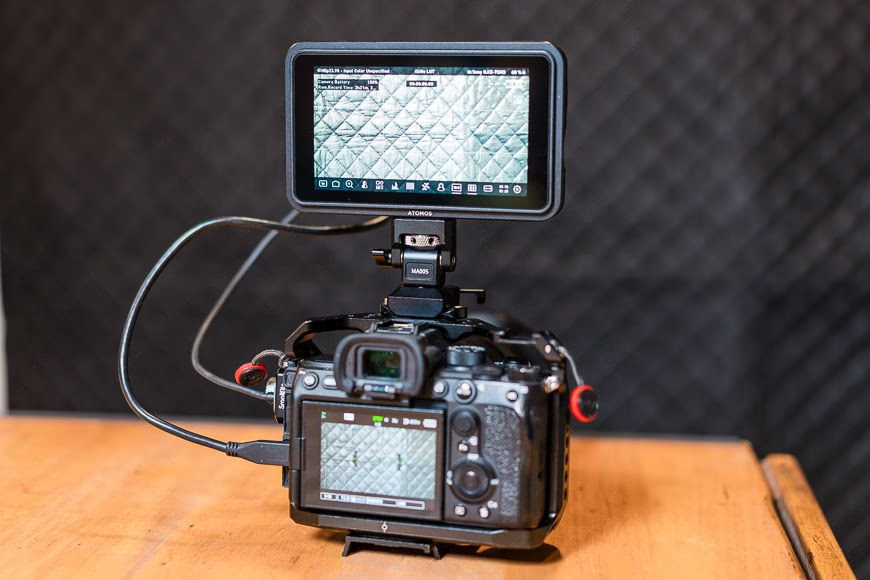
If you've been shooting video on a mirrorless camera, you've hit the limits of your built-in screen. The Atomos Shinobi II is a lightweight, 5.2-inch HDR field monitor that adds camera control, pro-grade exposure tools, and a 1500-nit daylight-viewable display — without the bulk or cost of a recorder.
Key Specs
- 5.2" IPS touchscreen (1920×1080), 1500 nits
- HDMI 1.4 input, 8/10-bit 4:2:2 support
- USB-C for power delivery and camera control
- NP-F battery plate (10-13W draw)
- LUT support via SD card
- Waveform, false color, zebras, focus peaking
- 1/4"-20 mount with anti-rotation pin
Build & Handling
The Shinobi II is slim and lightweight enough to mount on a gimbal without throwing off balance. The 1500-nit screen is genuinely daylight-visible — a major upgrade over camera LCDs. The HDMI port is now on the back (not the side), keeping cables tidy. The touchscreen interface is responsive and the menu layout feels faster than previous Atomos units.
The Killer Feature: Camera Control
Via USB-C, the Shinobi II can remotely control compatible cameras — change exposure settings, start/stop recording, and (on Sony bodies) tap the monitor to activate touch tracking autofocus. For solo shooters and YouTubers, this eliminates the need to split attention between two screens.
Real-World Performance
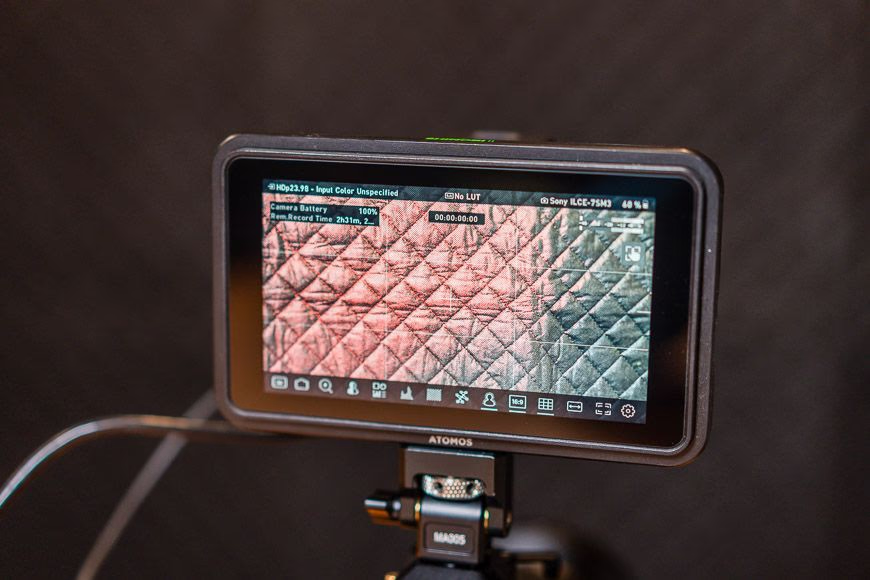
The most essential function is enabling confident log-profile shooting. Load a LUT via SD card, and the monitor displays a corrected image with zebras and exposure tools overlaid — you'll know your S-LOG3 or C-Log exposure is right before you hit record.
The dual power system (NP-F batteries for field work, USB-C for studio) provides flexibility. Battery life is the main weakness — one NP-F battery lasts 1-2 hours with camera control active. Carrying spares is essential.
Startup takes several seconds — frustrating when moments are fleeting. Some shooters choose to leave the monitor on and carry extra batteries instead.
Alternatives
- Atomos Shinobi Go: Cheaper, no touch camera control.
- Atomos Ninja series: Adds external recording but heavier and more expensive.
- ANDYCINE A6 Lite: Budget option with fewer pro features.
Practical Tips
- Load your LUT early and test exposure before the shoot — this is where the Shinobi II earns its value.
- Carry at least two spare NP-F batteries for a full day of shooting.
- Use the locking pin mount with a NATO rail for gimbal setups — it won't rotate on you mid-shot.
FAQ
Q: Does the Shinobi II record video? No — it's a monitor only. For recording, consider the Atomos Ninja series.
Q: Which cameras are compatible with USB-C camera control? Sony, Canon, and select other brands. Check Atomos's compatibility list for your specific model.
Q: Can I power the Shinobi II via USB-C only? Yes — USB-C Power Delivery works for studio setups, though you'll still want NP-F batteries for field use.